What an hour of laser time really costs you, and what to charge for that piece without losing money on it. For makers who work with lasers, heat presses, sublimation and 3D printers: costs, quotes, presets and stock, on the workshop PC, right next to LightBurn and your slicer.
From first launch to first quote, in under a minute. No sound, sample data; the app is shown in Italian and switches to English with your Windows language.
✓
Your numbers stay on your PC
No account, no sign-up, no Numas server. If you want the same data on your Android phone too, turn on sync with your own Google Drive: the app only uses a private folder of its own, can't see your other files, and we see nothing. With sync off, nothing leaves the PC.
A quote in three minutes
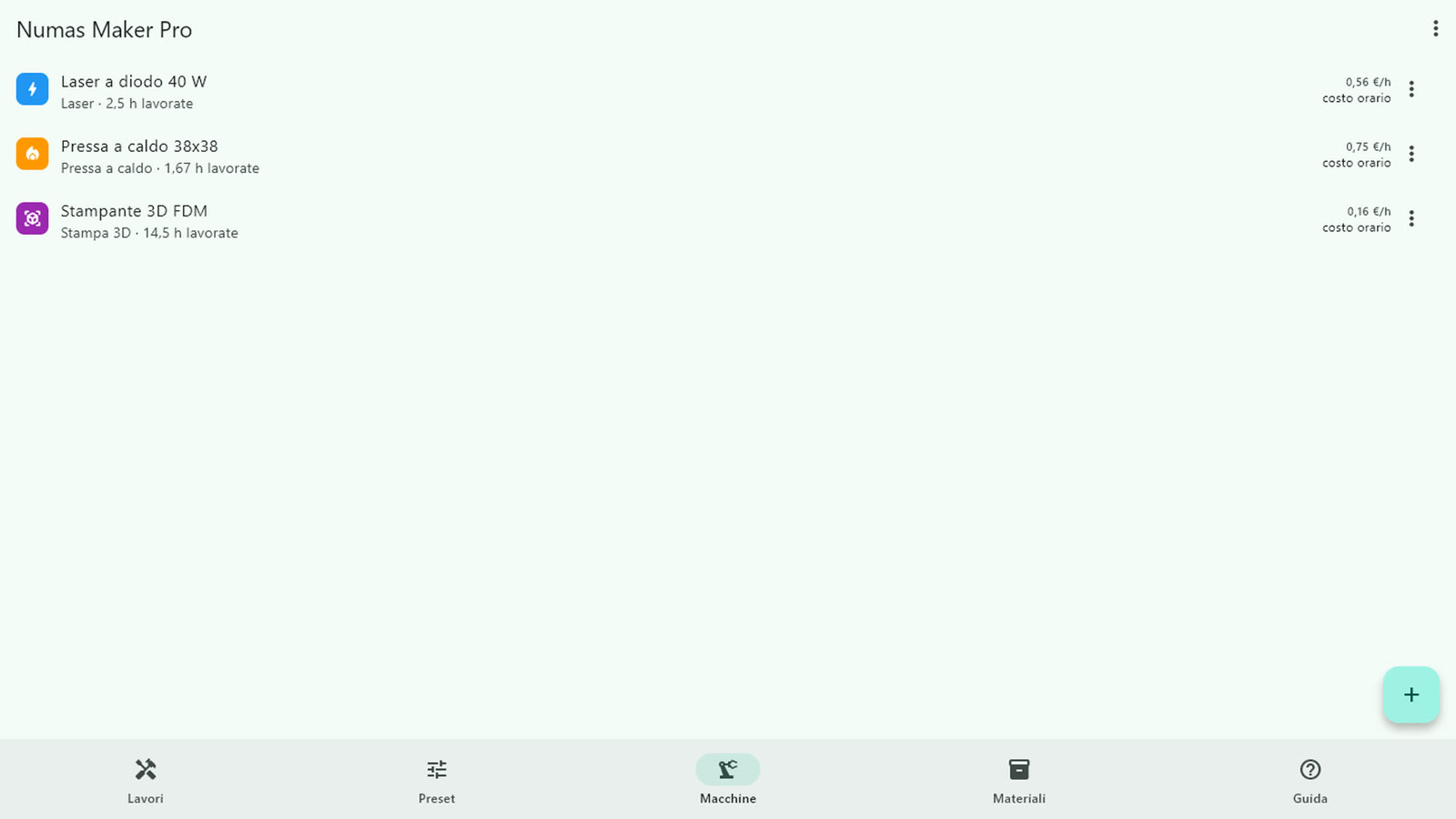
Each machine's hourly cost from its real numbers: purchase price, expected life, power draw, energy cost.
Operations, materials and labour row by row: cost and sale price update as you type.
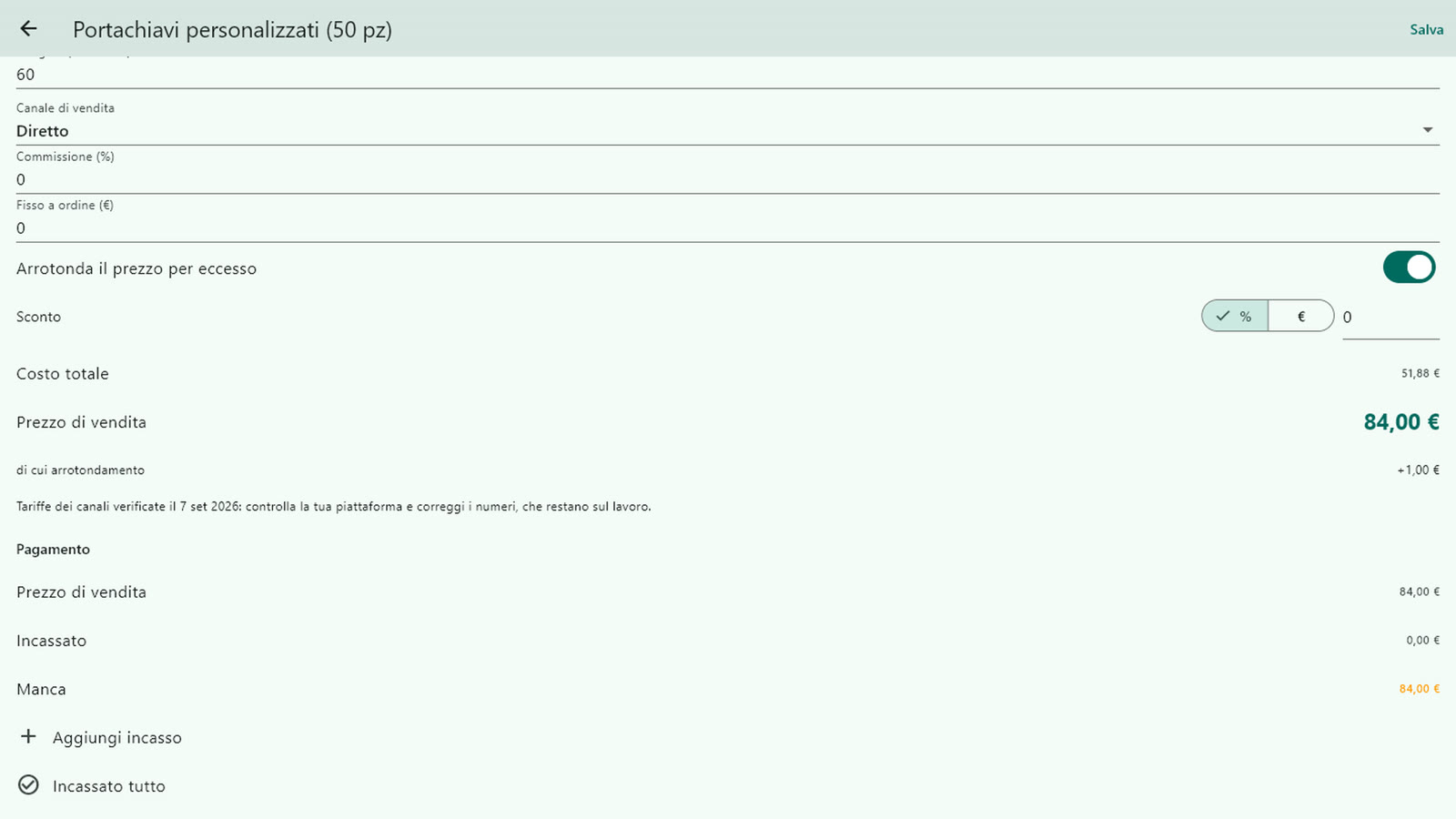
The price your markup suggests, rounding up, a discount in percent or in cash.
A quote PDF with your logo and up to three images of the job, saved wherever you like.
From the files you already use
Read your slicer file: print time and filament go into the job without retyping them.
Read your LightBurn project: the laser times come straight from it.
Import STL and 3MF 3D models, with their colours.
Mouse, keyboard and a big screen: the whole job sheet in one view.
Parameters, ready to go
Presets for laser and sublimation: power, speed, passes, temperature, times.
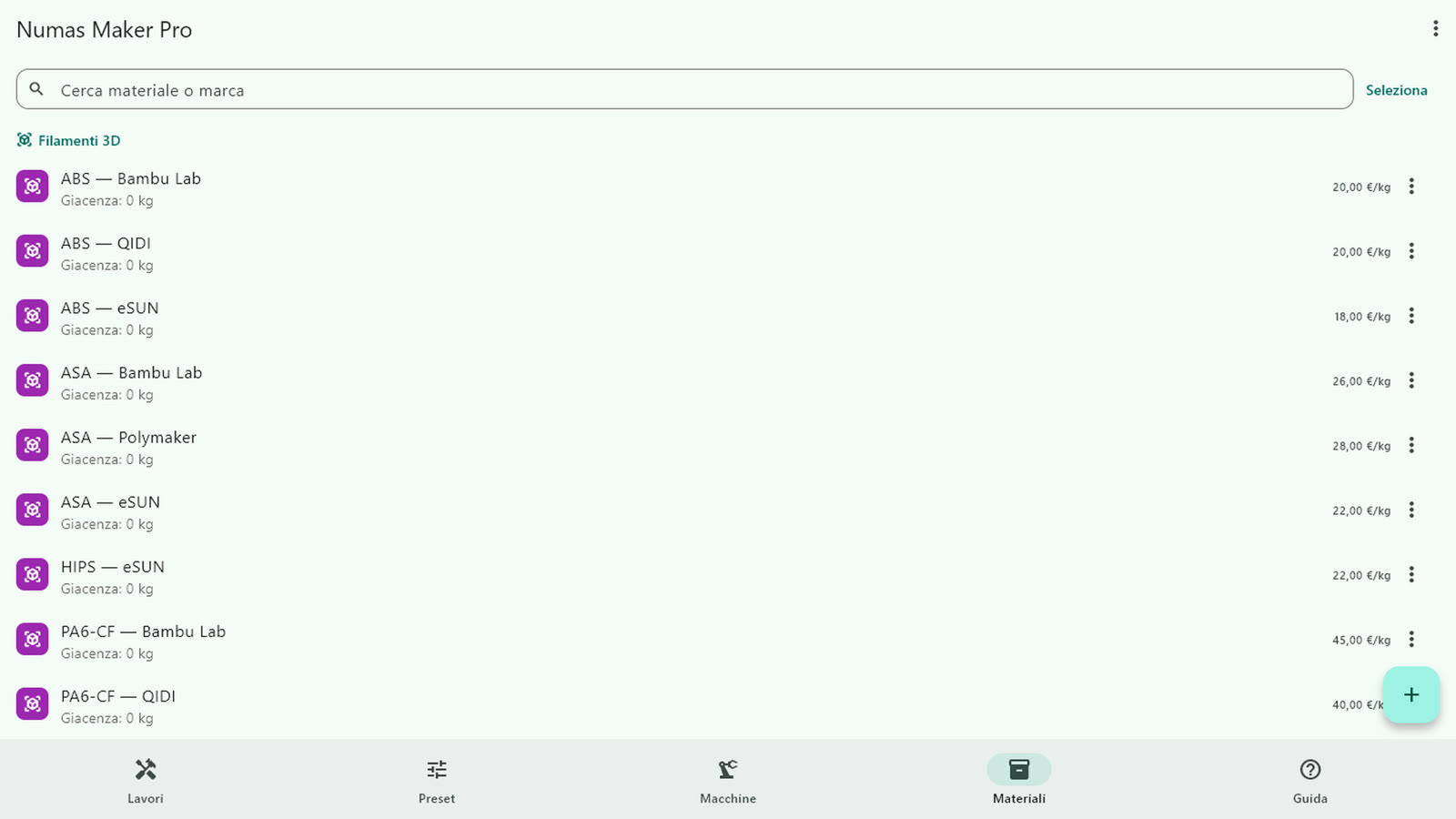
101 materials already inside, with average market prices: correct them with yours and start right away.
Parameter catalogs to import in one click.
Built-in presets never touch what you have edited.
Machines and stock
Mark a job completed and the materials used come off the shelf by themselves.
Delete that job? The materials go back into stock.
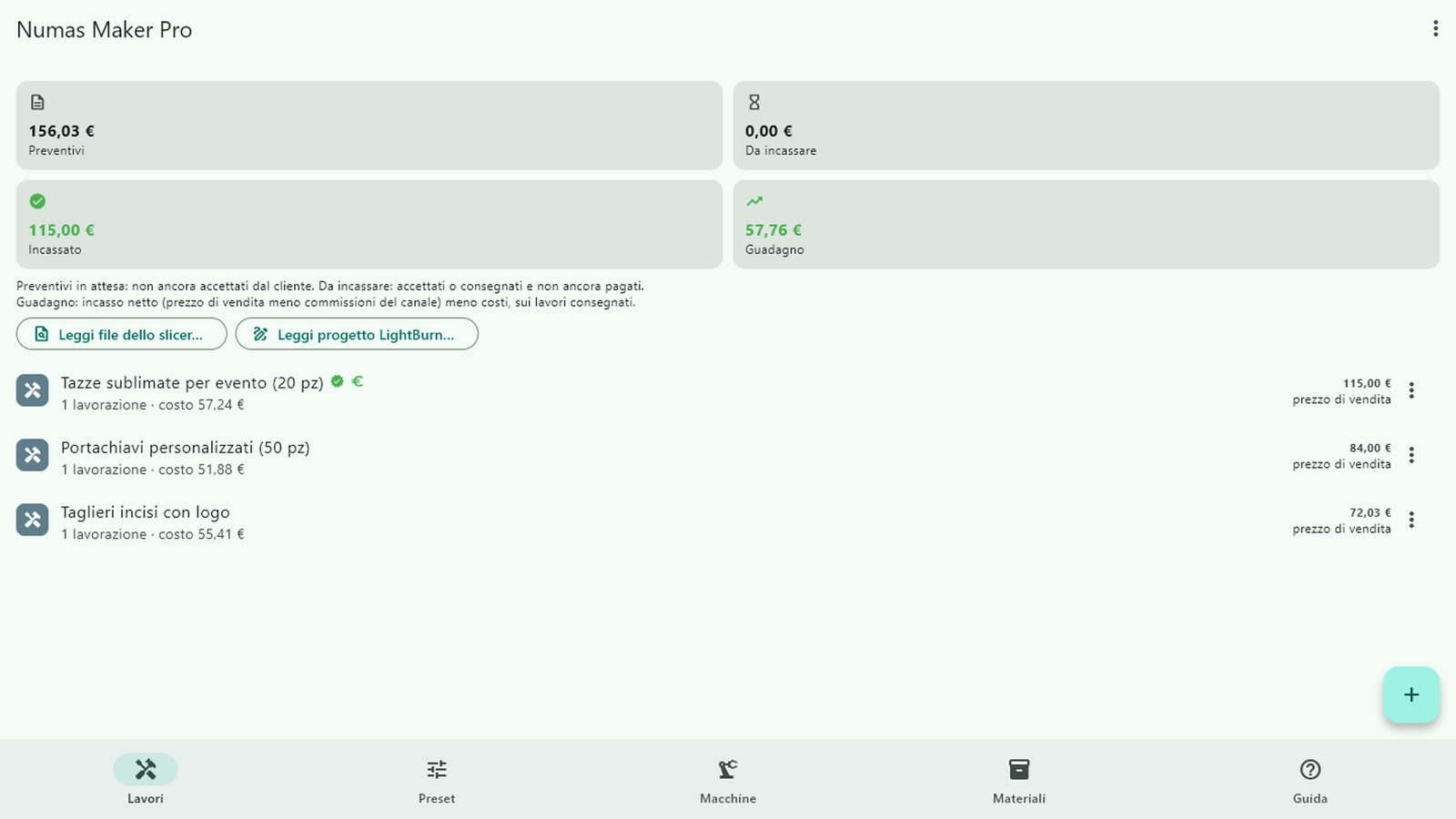
Quote → accepted → completed, with the totals up top: to collect, collected, profit.
Partial payments, and sales-channel fees in the math.
Your data, in your own file
A full backup in a readable JSON file, the same format as the Android, Mac, iPhone and iPad versions: your archive moves between devices with one export and one import.
Automatic saves on the PC, so you can go back if something goes wrong.
With sync on, your PC and your Android phone work on the same archive.
The app, for real.
Numas Maker Pro—☐✕
Numas Maker Pro—☐✕
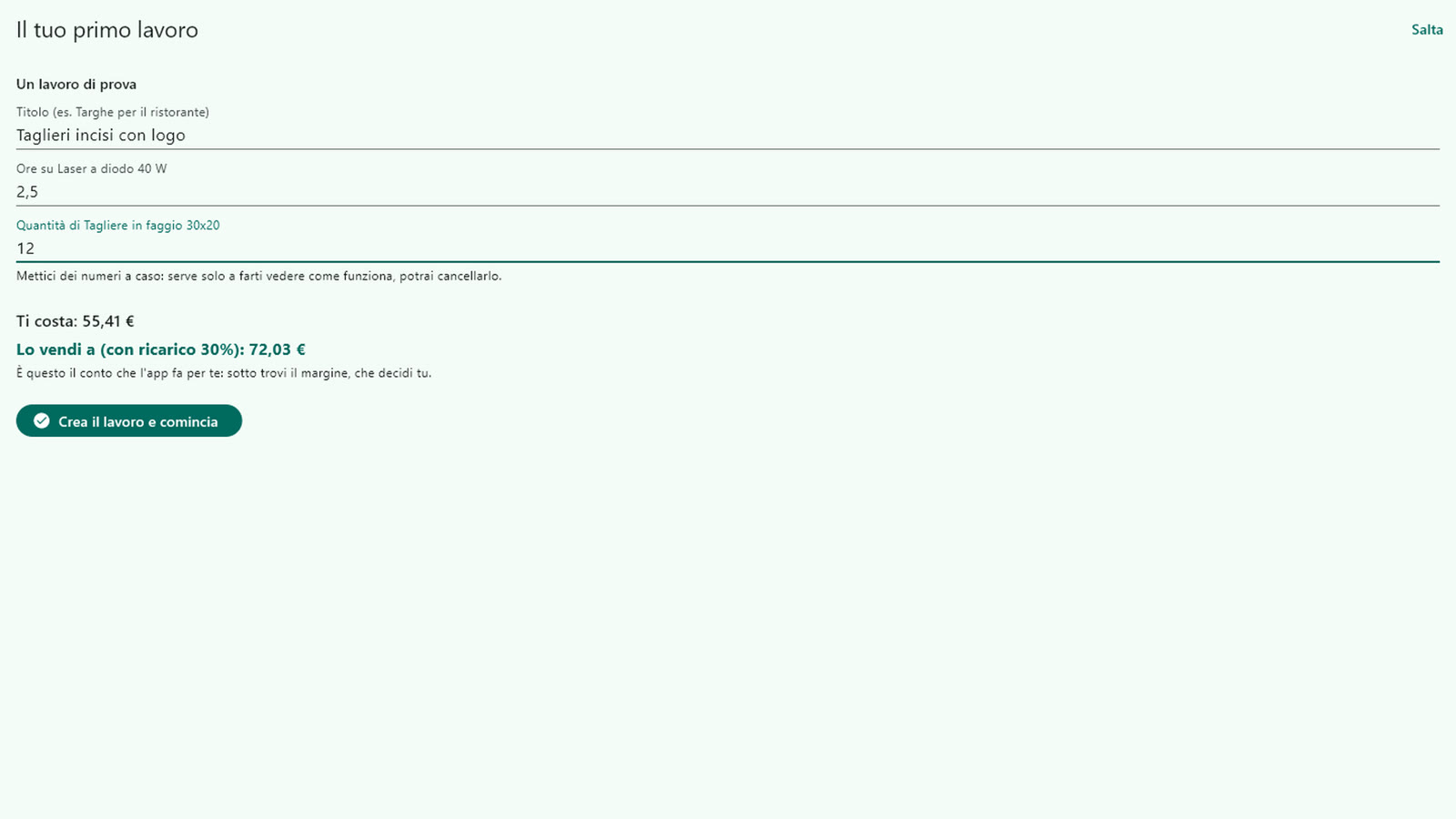
Your first job: what it costs and what to charge.
Numas Maker Pro—☐✕
The price: fees, rounding, discount, payments.
Numas Maker Pro—☐✕
Machines, each with its hourly cost.
Numas Maker Pro—☐✕
Built-in materials, with price and stock.
Screens from the app on Windows 11, in Italian; the app follows your Windows language (Italian or English). Sample data.
Video guide: installing and moving your data.
Numas Maker Pro—☐✕
How to install from the Microsoft Store and move your data from an Android phone: Google Drive sync or a backup file. English captions (app screens in Italian), 2 minutes.
What the Apple version has and this one doesn't
Better said before you download than after. The Mac, iPhone and iPad version came first, and it has things that don't exist on Windows yet:
the AI features on parameters (table recognition, guided iteration, image preparation for engraving);
preset import from the manufacturer's PDF or photo, and creating catalogs to share;
sync through iCloud: on Windows, sync goes through your Google Drive and links the PC with Android devices.