NUMAS
Study & Creativity · the Android version · 1.6.0
Numas Study icon

Numas Study Android

Your lecture notes become quizzes, your question bank becomes training, and the app tells you what to review and when. It reviews them with you in your headphones, even with the screen off, reads your notes aloud, questions you like a professor, and has twelve chemistry tools that work offline and a lab notebook that writes the report with you.

✓

Nothing leaves your phone

No account, no sign-up, no Numas server: notes, questions, results and reports stay on the device, and you can take them with you any time in a readable file. AI features are optional and use your own personal key (Gemini, OpenAI or Claude): your texts travel only between you and the provider you choose. The guide: how to get a key →

New in 1.6: headphone review and map of the day

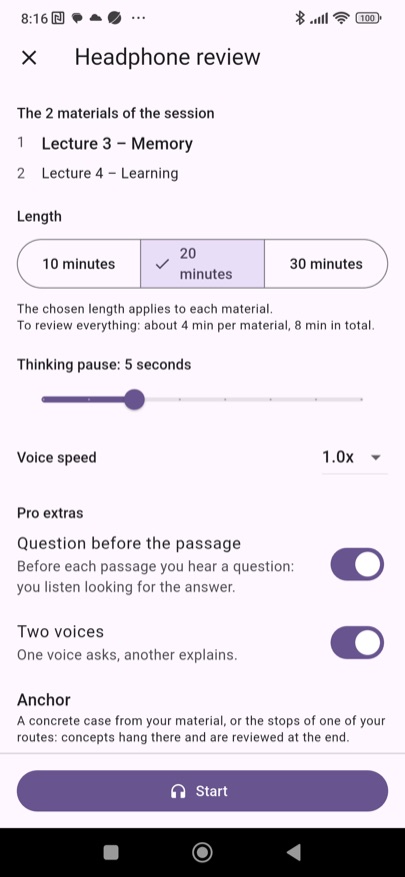
  • Headphone review: the voice reads your handout step by step and asks you questions, and you answer with your headphone buttons. Even with the screen off, while you walk or commute. It resumes where you left off.
  • With Pro: the question before the passage, two voices (one asks, one explains), concrete examples taken from your text, and your own routes as a memory palace.
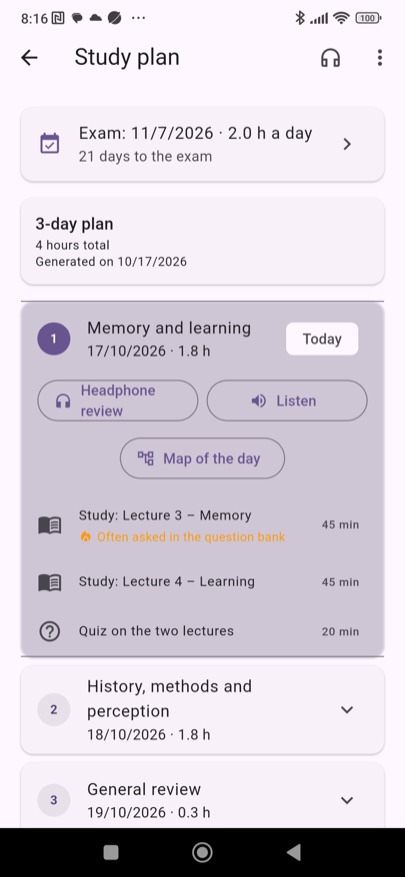
  • Today's session: the handouts of a study-plan day, one after another, in your headphones or read aloud in full.
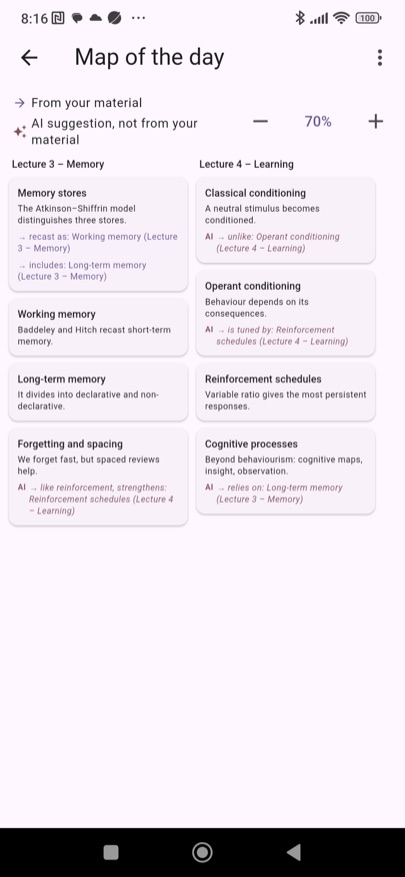
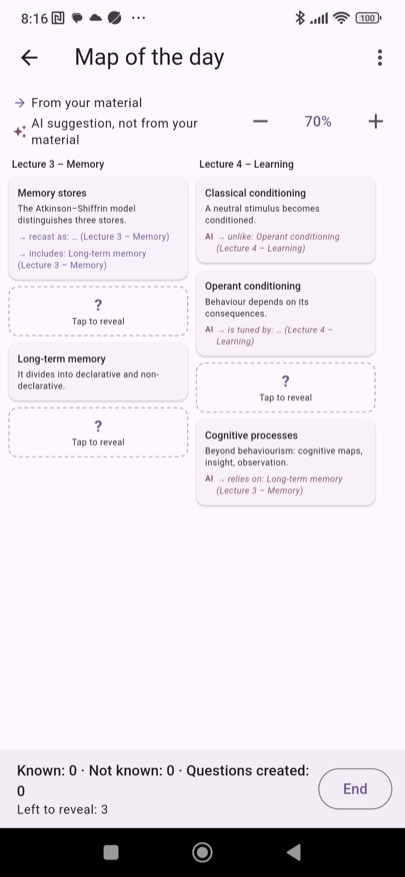
  • Map of the day (Pro): the ideas of all the day's handouts in a block diagram, with the links and a quote for every block. With “Fill in the blanks” you test yourself.
  • Share the course with classmates, iPhone users too: a ZIP with the PDFs or a light JSON, and questions with their answers and sources.

Notes, spaced review and reading aloud

  • Upload the PDF and the AI processes it: summary, key points, glossary and questions for every document.
  • The app brings the review to you: spaced repetition, questions come back right before you'd forget them.
  • Listen: the text, summary, key points or glossary read aloud, even with the screen off, with controls in the notification and on your headset. The language is recognised from the text.
  • Chat with the AI about a document, a quiz or a lab session: it answers about your material, not at random.
  • Export a whole course as a ZIP with its PDFs or as JSON: import it on another phone, Android or iPhone, and pick up where you left off.

Question banks, exam simulation and oral exam

  • Import the question bank from PDF and practise right away, with on-device grading. Answers marked in the PDF are detected; doubtful ones are flagged.
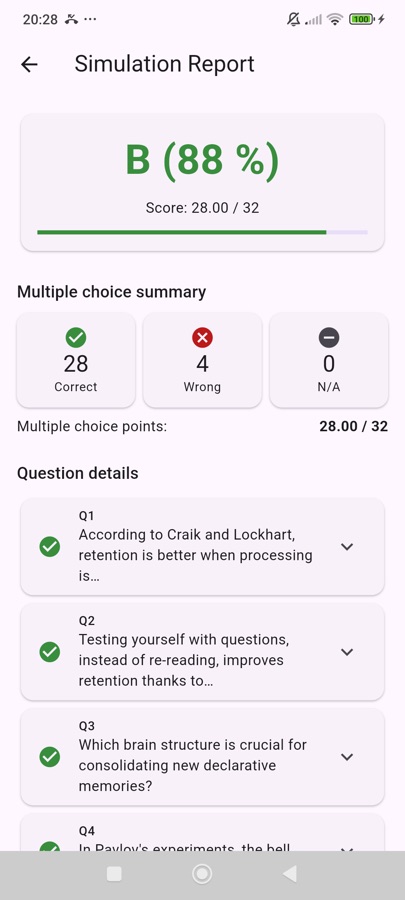
  • A timed simulation with multiple-choice questions from your own bank, graded in your country's scale: thirtieths, twentieths, German, letters, percentage. The report stays in the history.
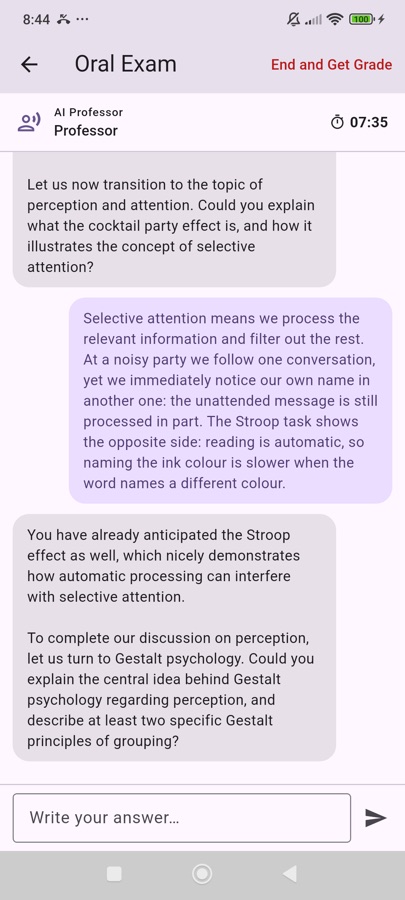
  • Oral exam (Pro): a virtual professor questions you in writing on your own notes and ends with a reasoned grade, strengths and gaps.
  • The exam language is set separately: keep the app in English and be examined in another language.

Study plan

  • A plan built on your exam date: reading, review and quizzes balanced day by day, by hand or with the AI.
  • The home screen tells you what's due each day: reviews about to expire and today's plan.
  • Every day can be reviewed in your headphones or listened to in full, one handout after another.

Chemistry tools, offline

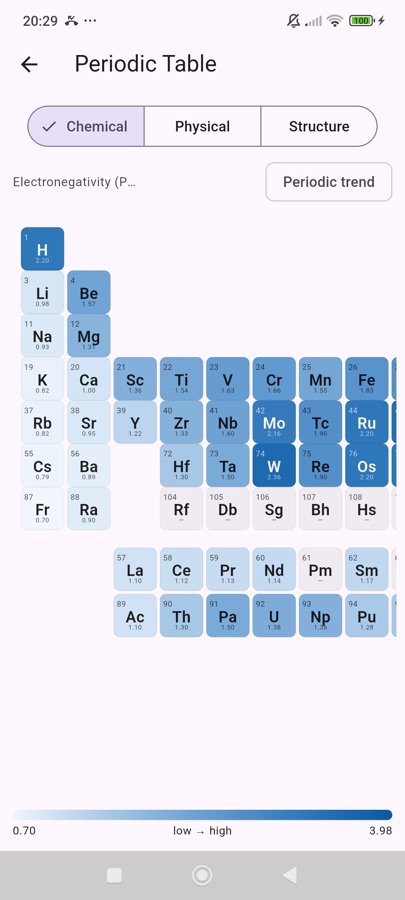
  • Interactive periodic table: 118 elements, data from NIST sources.
  • Molar mass, concentrations and dilutions, pH of acids and bases, buffers.
  • Balancing, Redox, standard potentials E°, limiting reactant and yield, with every step shown.
  • Reaction products and functional groups: type CH3CH2OH or a SMILES and the app recognises ethanol, its family and the IUPAC name.
  • Nomenclature and organic reactions, with exercises. Mistakes are explained with position and fix.

Lab notebook, all free

  • One or more measurement tables per session, notes, observations and reference documents.
  • The report builds itself, from a ready structure or generated by the AI: header with your details, tables, results.
  • Export to a laid-out PDF, RTF for Word, Markdown and CSV, with preview and printing; or save everything as a compressed folder.

In thirty seconds.

Sample data. To hear the music, turn the sound on from the video controls.

The app, for real.

Headphone review of a study day: two handouts, length, pause and Pro extras The map of the day: the ideas of two lectures in columns, with their links The map with some blocks hidden, to reveal A study-plan day with headphone review, listening and the map of the day
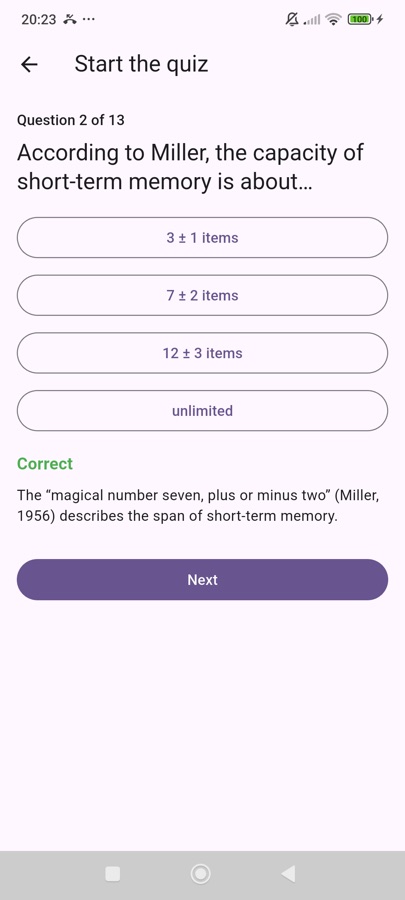
A graded quiz question with its explanation The simulation report: grade, summary and question details The oral exam: the virtual professor asks questions and comments on the answer The interactive periodic table
Screenshots of the app on an Android phone, version 1.6.0. Sample data.

What's different from the Apple version

Better said before you download than after. The iPhone, iPad and Mac version came first and has three things that don't exist here yet:

Everything else — notes, reading aloud, headphone review, map of the day, course sharing, quizzes, question banks, simulations, oral exam, study plan, lab notebook and chemistry tools — is on both. See the iPhone, iPad and Mac version →
Free to start, Pro for no limits.

Free

forever
  • One course with 5 documents and 5 AI processings per day.
  • Question banks and quizzes with spaced review, graded multiple-choice simulation.
  • Reading aloud and headphone review, even with the screen off.
  • All the chemistry tools, offline.
  • Full lab notebook: PDF, RTF, Markdown and CSV.
  • Study plan built by hand.

Pro

monthly or yearly, with a free trial
  • Unlimited courses and documents, AI processings with no counter.
  • Open questions in the simulation, graded by the AI.
  • Oral exam with the virtual professor.
  • AI chat on notes, quizzes and lab sessions.
  • Study plan generated by the AI and map of the day.
  • Headphone review with the question first, two voices, concrete examples and routes.
  • Cancel from the Play Store, any time.

Prices for Italy. In other countries the Play Store shows the amount in your local currency. Your AI key stays yours on the Pro plan too.

Get it on Google Play → Phones and tablets with Android 7 or later · free to start (1 course)